

Bookmarking for iPhone
Save anything.Find it by describing it.
Echo reads every link, post, video, screenshot and PDF you save. Months later, describe what you remember and it finds it.
Free to download · Free plan included

- YouTube
- TikTok
- X
- Threads
- Substack
- Podcasts
- Any web page
- Screenshots
- PDFs
How it works
Save now. Find it later, in your own words.
01 · Save
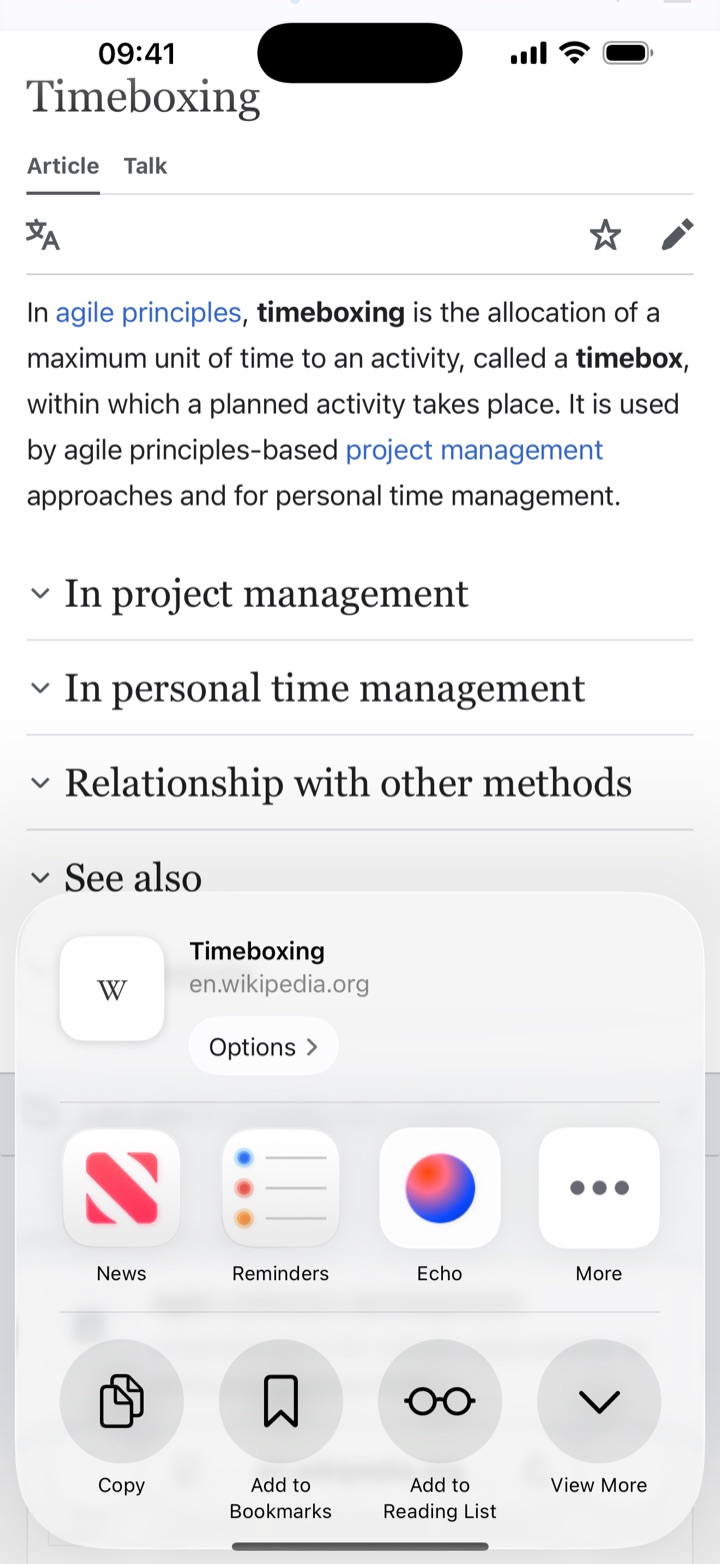
One tap from any app.
Share to Echo from Safari, Instagram, YouTube or anything with a share button. Or add a screenshot, photo, note or PDF from inside the app. No folders to pick, nothing to fill in.
02 · Understand
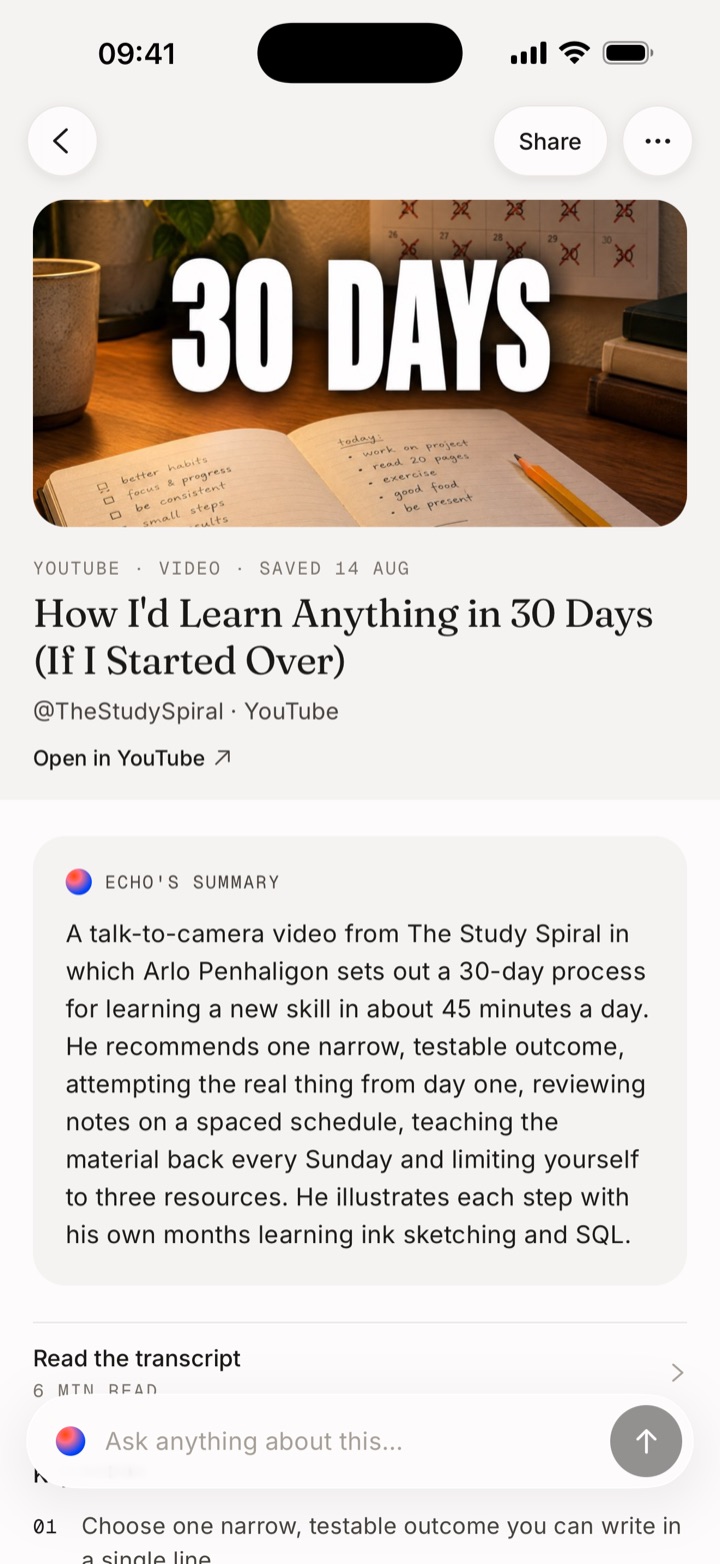
Echo reads it for you.
Every save gets a summary, key points and tags. Videos and podcasts are transcribed, and the text in screenshots and documents is read.
03 · Find
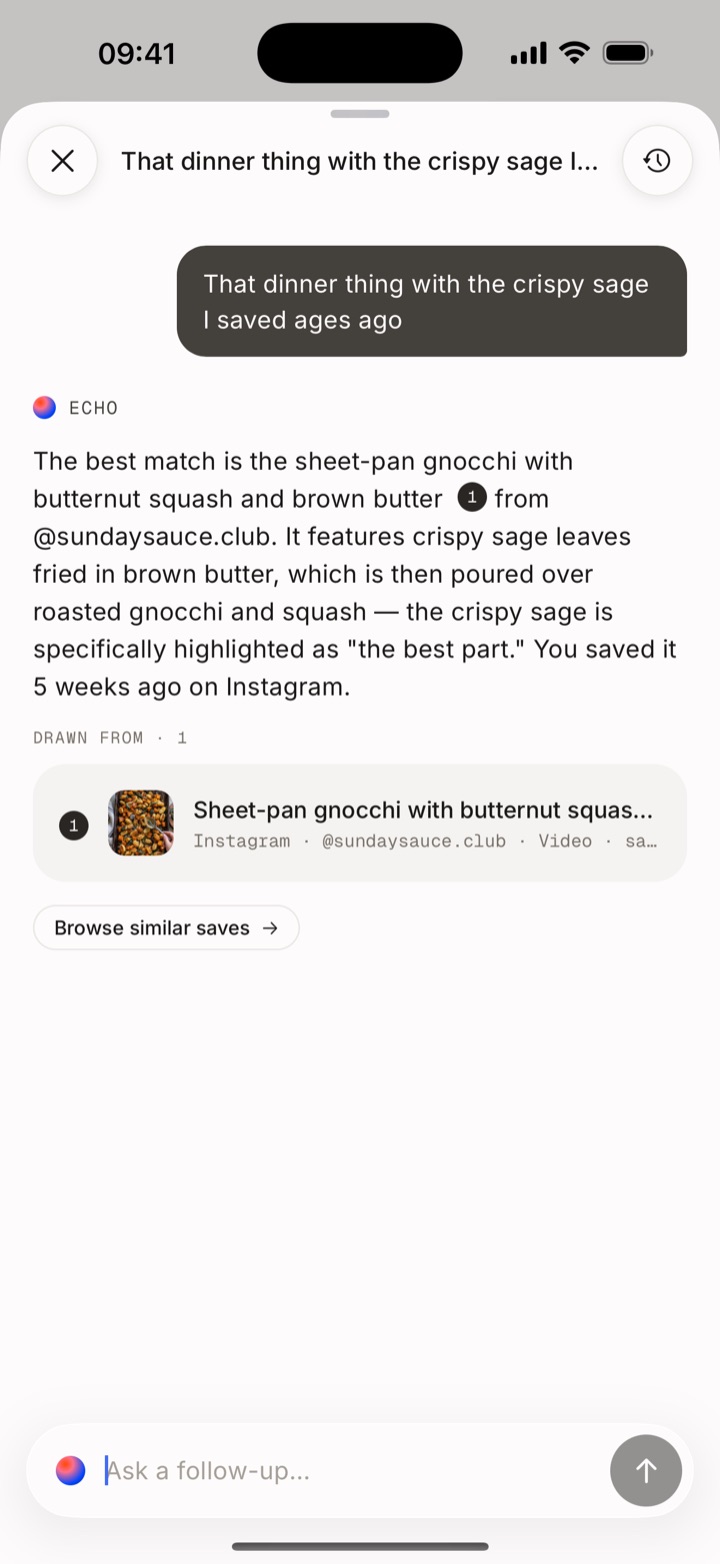
Describe it. Echo finds it.
Type a word and your library filters as you go. Or ask a question and get an answer drawn from what you saved, with every source attached.
Ask is part of the paid plans.
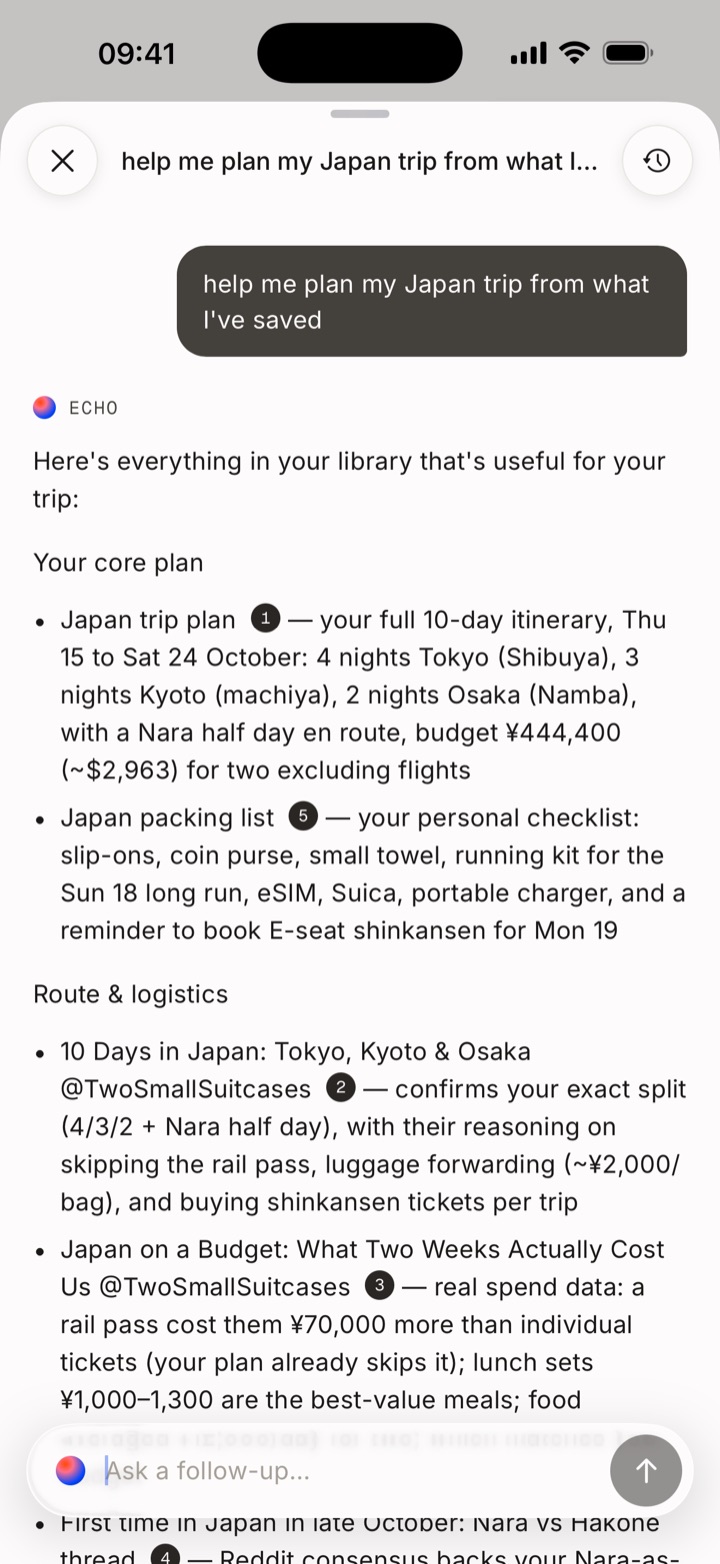
You won’t remember the title, the app or the week you saved it. You’ll remember the gist. That’s all Echo needs.
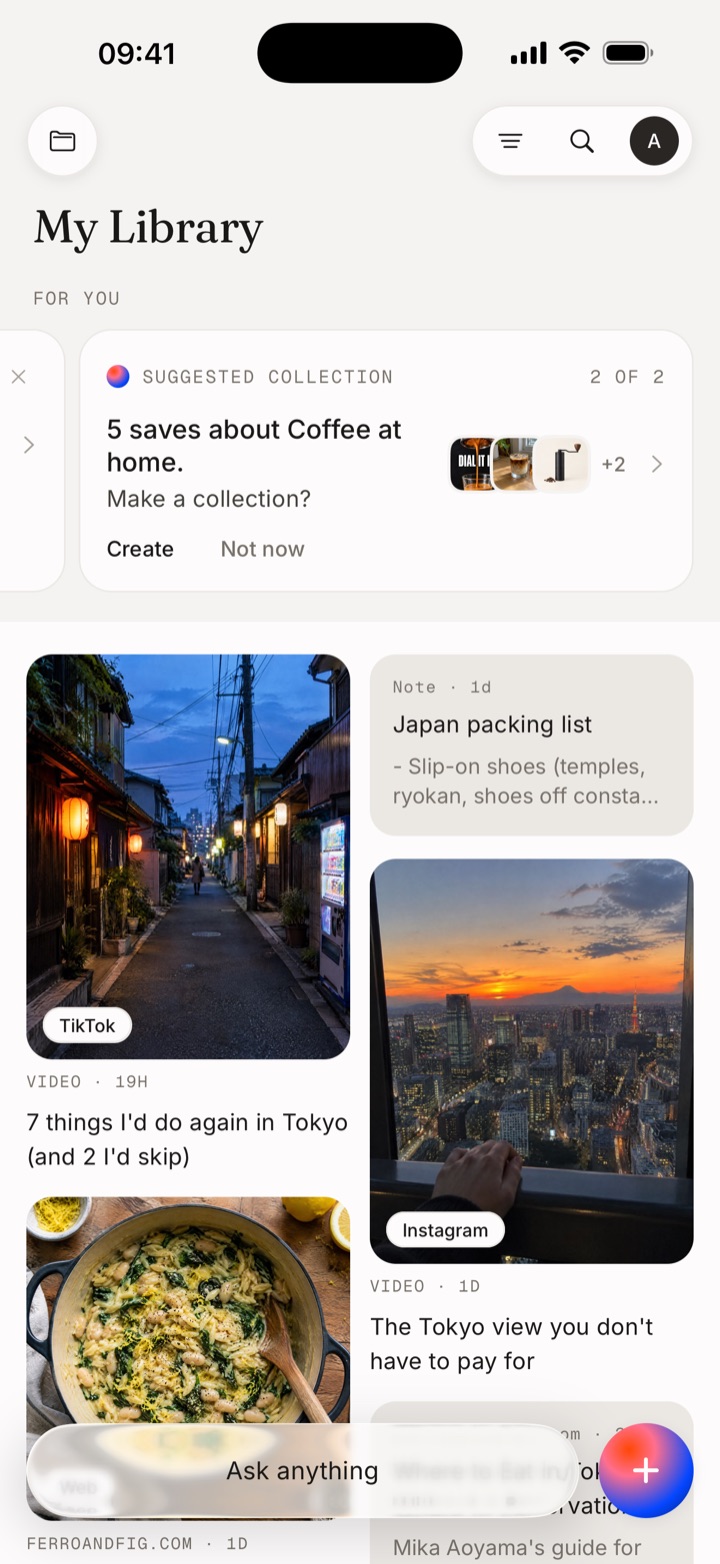
Collections that suggest themselves
When your saves share a theme, Echo offers to group them. You decide.
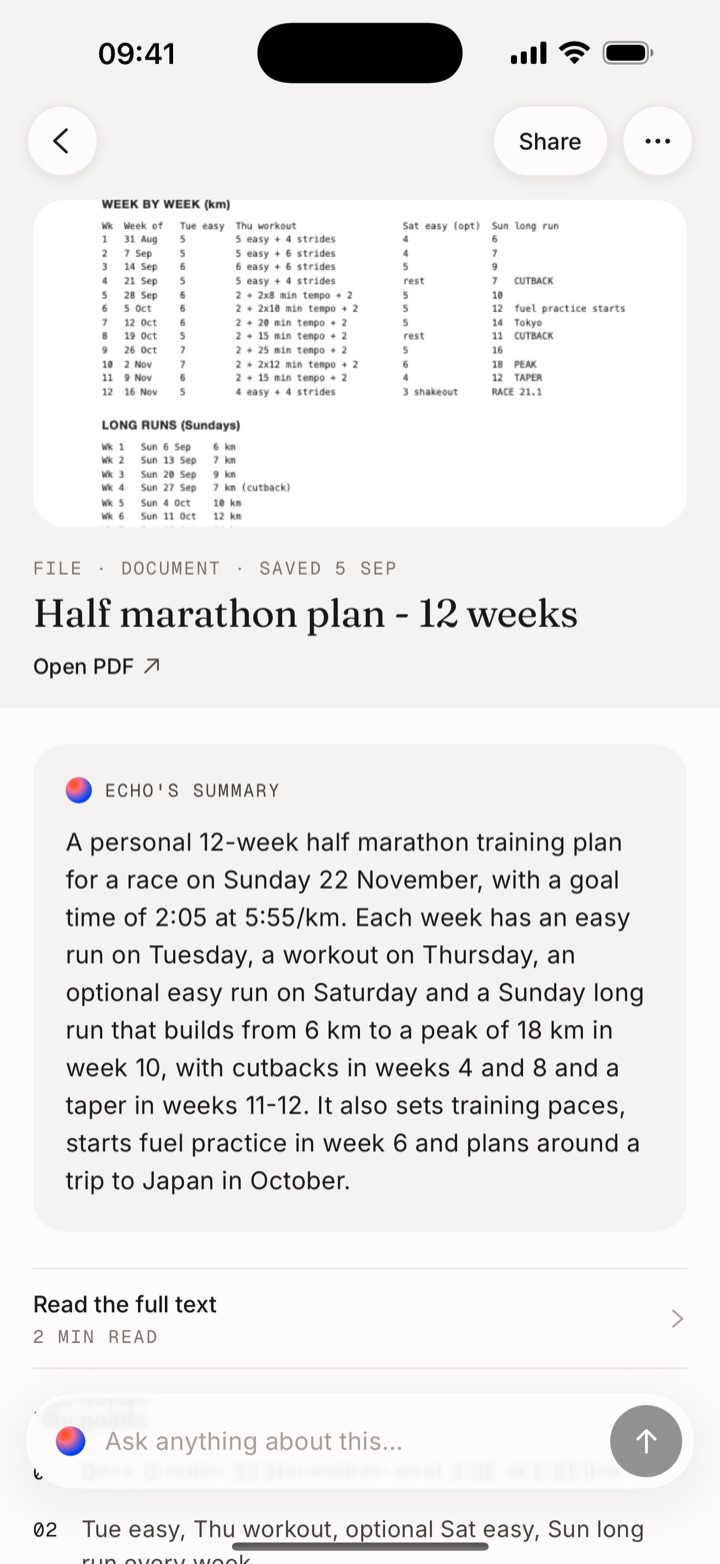
The gist of any PDF
Drop in a plan, a paper or a manual and get the points that matter.
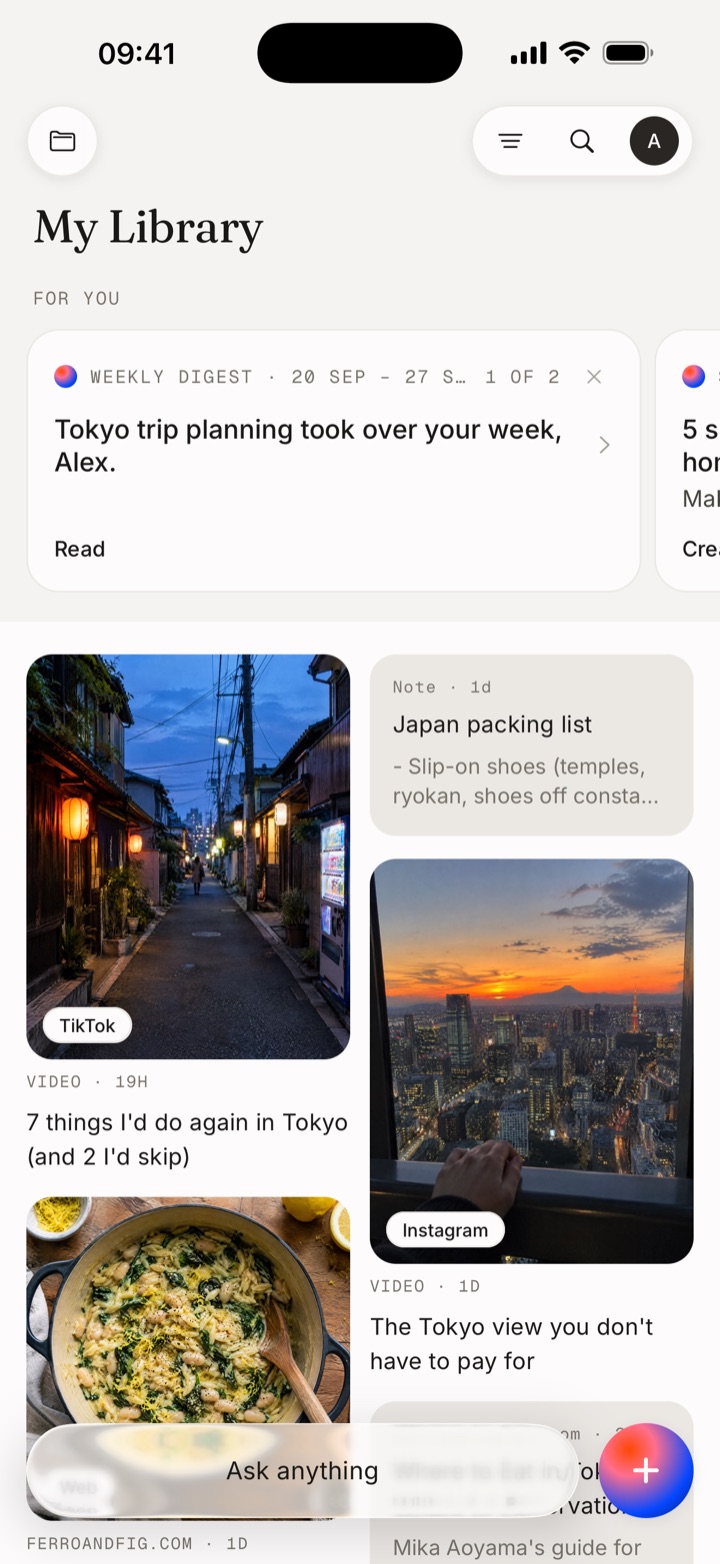
A weekly digest
A short note on what you saved this week, and something older worth another look.
Privacy
Your library stays yours.
Echo uses AI from Anthropic and OpenAI to read what you save, and that is all it is used for. Your library is never sold and never used to train AI models.
Every service that touches your saves is named in the privacy policy. Export your library or delete it whenever you like.
Questions
Before you download
- What can I save?
- Links from any app or website, posts, videos, podcasts, screenshots, photos, notes and PDFs.
- How do I save from another app?
- Tap Share in that app and pick Echo. It takes a second and you stay where you were.
- What does the AI do with my saves?
- It reads each one to write the summary, key points and tags, and to answer your questions. Nothing else.
- Is my library used to train AI?
- No. It is never sold and never used to train models. The privacy policy names every service involved.
- Is it free?
- Echo is free to download and has a free plan. Paid plans add more saves and Ask, and you can see them in the app.
- What happens if I cancel?
- You move to the free plan when your paid period ends. Your whole library stays, and stays searchable.
- Is there an Android or web version?
- Not yet. Echo is for iPhone.
- Can I take my library with me?
- Yes. Export everything from Profile → Data & Account whenever you like.
More in the help centre.
Stop losing the good stuff.
Free to download · Free plan included